Skip to content

Breeze Pixel Studio

Unleash your pixel art creativity and easily create beautiful pixel art

Core Features

Professional Drawing Engine

A drawing engine built for pixel art, supporting tools like pencil, eraser, fill, selection, and keyboard shortcuts for smooth and natural creation.
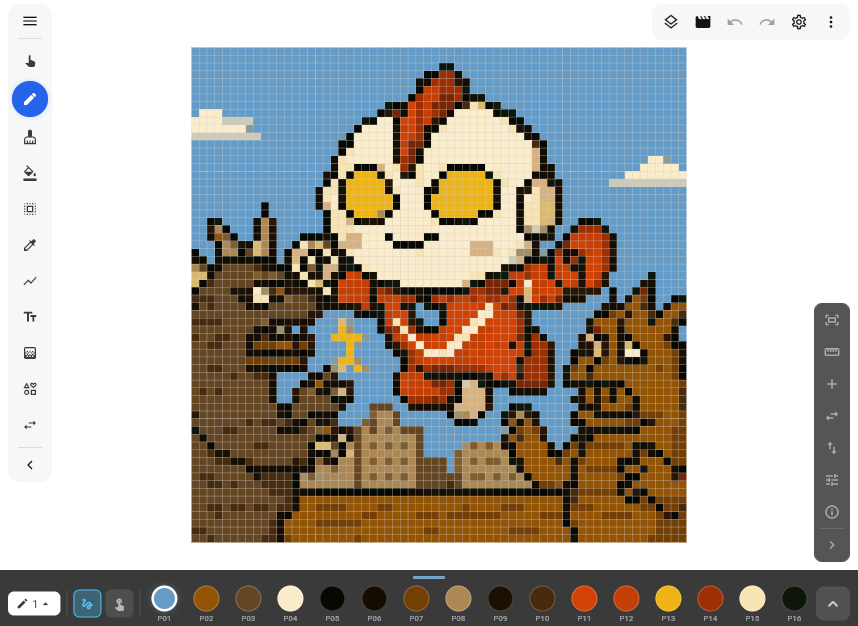
  • Multiple brushes and fill tools
  • Flexible selection and transformation
  • Customizable shortcut keys
oss://image/pro-editor.png
✏️Rich ToolsMultiple professional drawing tools
Pan Tool
Brush Tool
Eraser Tool
Paint Bucket Tool
Selection Tool
Eyedropper Tool
Line Tool
Text Tool
Gradient Tool
Add Shape
Replace Color
Layer Management
Animation Frame Management
Reset Canvas View
Show Ruler
Show Center Symmetry Line
Horizontal Mirror
Vertical Mirror
Add Guide Line
Show Coordinates
Adjust Brush Size
Continuous Brush
Single Point Brush
Basic Editing

Basic Pixel Editor

Offers simple and intuitive tools, clean interface, zero learning curve to quickly start creating pixel art.
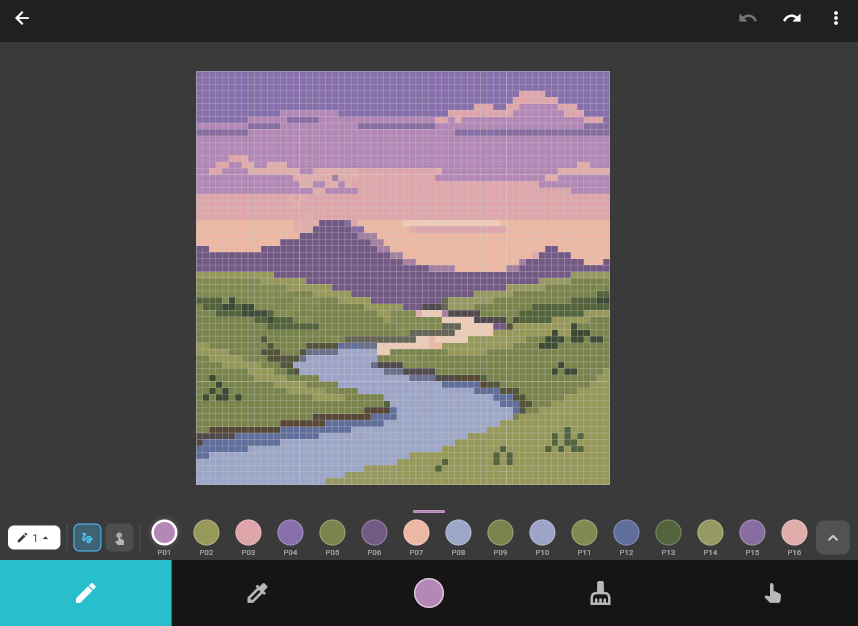
  • Clean toolbar at a glance
  • Drag and draw to easily get started
  • Quick export and share your work
oss://image/base-editor.png
Brush / Paint BucketClick to switch
Eraser
Eyedropper
Pan Tool
Canvas Area
Palette
Color Picker
Export & Share

Export Pixel Art Sheet

Multiple export styles available. Supports exporting printable sheets with color palette, as well as pixel images in various sizes for sharing and physical creation.
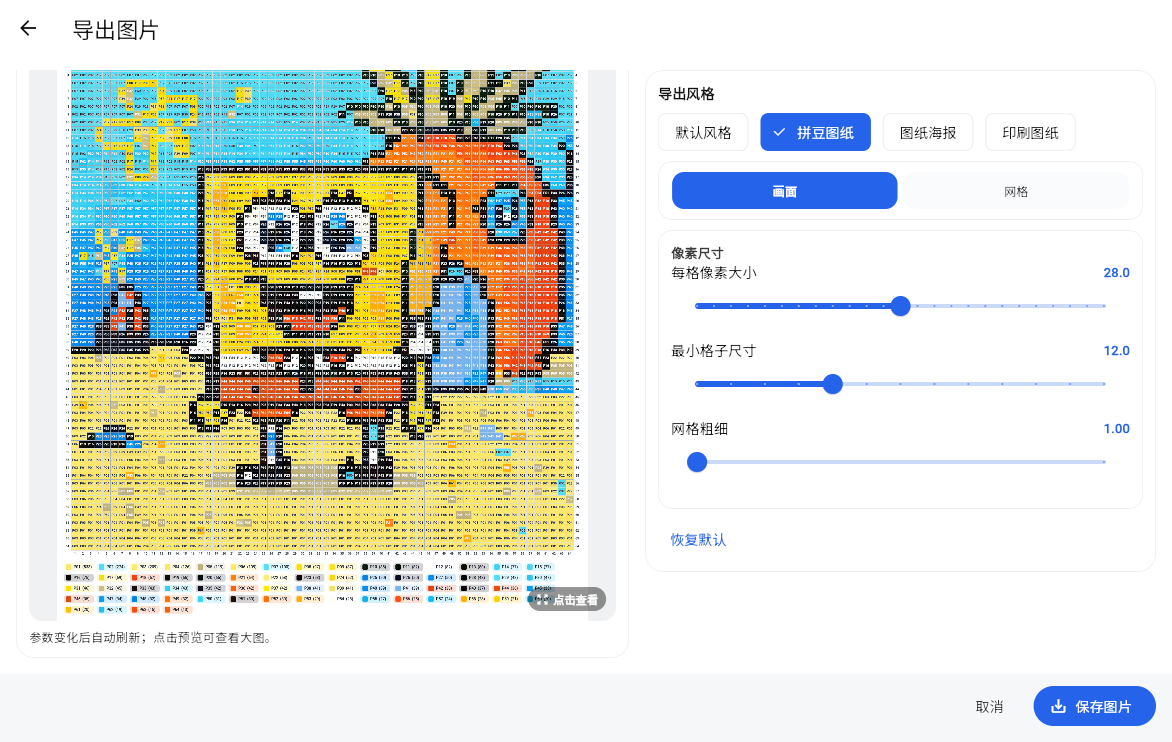
  • Export printable sheet with palette
  • Export pixel art in multiple sizes
  • Flexible export style selection
oss://image/export-image.png
Preview Area
Configuration Parameters
Export Type
Palette Statistics
Export Button

轻风像素画 official website